
Designers lose hours every week juggling tabs and shrinking palettes just to keep their canvas visible. That constant screen crowding kills creative momentum and drains focus fast. Deskwing™ T14 solves this with a portable triple monitor that shows your canvas, tools, and references all at once—offering 2560x1600 resolution and 100% sRGB color accuracy for sharp, true-to-life visuals. Ready to upgrade your creative workspace setup and keep your flow uninterrupted?
Screen Crowding Slows Creativity
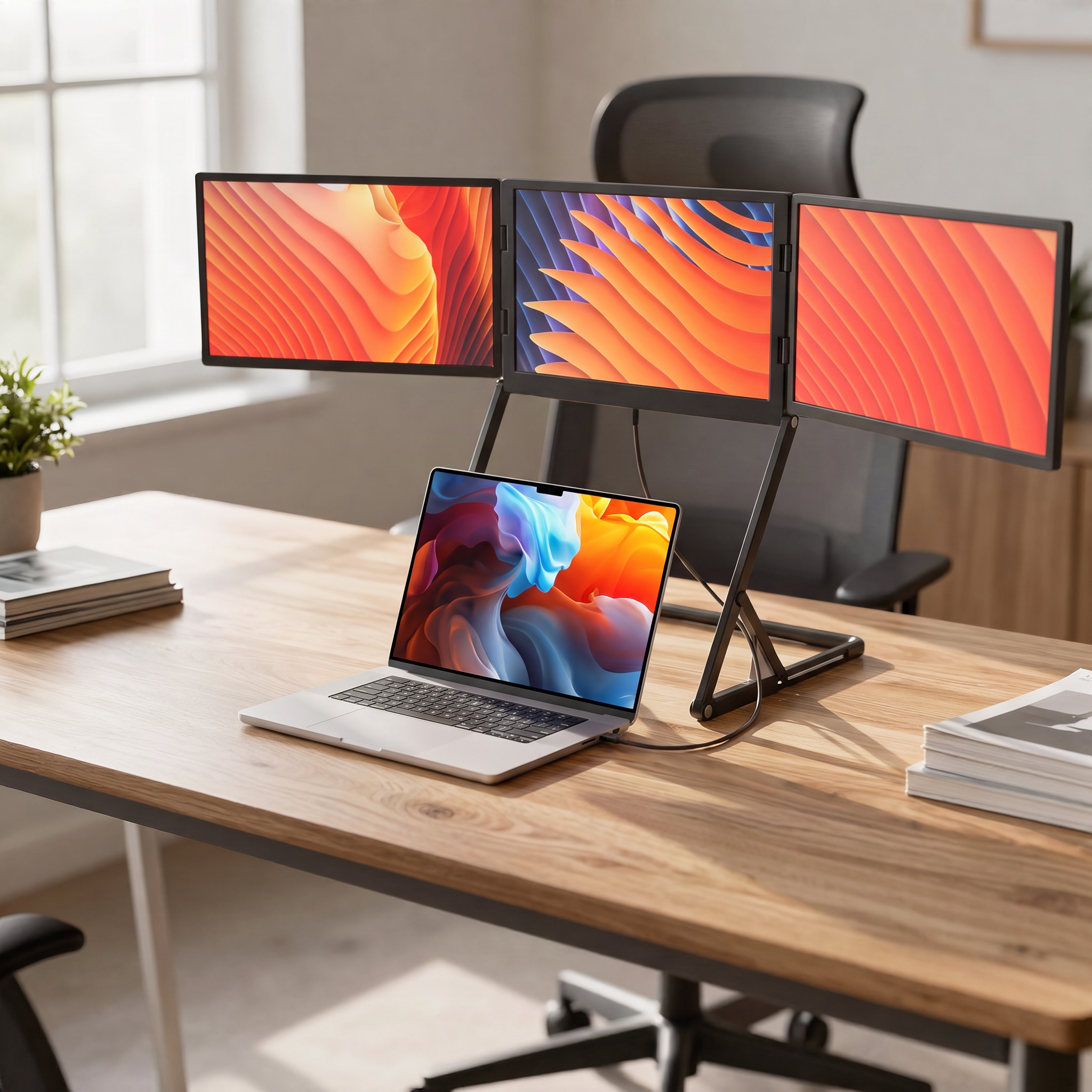
Picture this: you're deep in a design project, tools and references scattered across multiple tabs. It's frustrating, isn't it? This struggle slows you down, breaking your creative flow. Let's explore why cramped screens are a designer's nightmare.
Recognizing the Cramped Workspace
Feeling boxed in by your screen? Many designers do. Limited space forces you to minimize tools and frequently switch tabs just to see everything you need. This constant toggling disrupts your rhythm, causing unnecessary stress. Imagine a setup where everything is visible at once, freeing you to focus on creativity. That's where the magic happens.
Frustration of Switching Tabs
Switching tabs is more than an inconvenience; it's a momentum killer. In the middle of finding that perfect shade or aligning elements, you pause to switch views. This interruption breaks concentration, leading to errors and lost time. A seamless layout keeps your tools and canvases in sight, boosting efficiency and reducing stress.
Losing Momentum Mid-Design
Every designer knows the pain of losing momentum. You're in the zone, then bam—a tab switch derails you. It's hard to regain that focus. With a spacious screen setup, your workflow remains fluid, letting you stay in the groove longer. This uninterrupted flow is crucial for bringing your creative vision to life.
Deskwing™ T14: A Designer's Solution
Enter the Deskwing™ T14, your ally in conquering screen chaos. Its portable triple monitor design revolutionizes how you work, making creative blocks a thing of the past. Let's dive into how this tool can redefine your workspace.
Portable Triple Monitor Benefits
The Deskwing™ T14 offers you more than just extra screens. Its 2560x1600 resolution ensures every detail shines with clarity. The 100% sRGB color accuracy promises vibrant, true-to-life hues. This setup empowers you to view your canvas, tools, and references simultaneously, enhancing your design process. No more shrinking palettes or hidden tabs—just pure, uninterrupted creativity.
Keeping Everything in View
Imagine having all your creative elements visible at once. With the Deskwing™ T14, this becomes reality. Your tools, references, and work are all in sight, eliminating the need to switch between tabs. This visibility helps maintain focus, allowing you to create with precision and ease. Your workspace becomes an extension of your creativity, not a barrier.
Instant Setup with Plug-and-Play
Setting up the Deskwing™ T14 is a breeze. Forget about complicated installations; this monitor offers a plug-and-play experience. With a single cable connection, you're ready to go in seconds. This simplicity means more time creating and less time setting up, perfect for designers who value efficiency.
Upgrade Your Creative Workflow
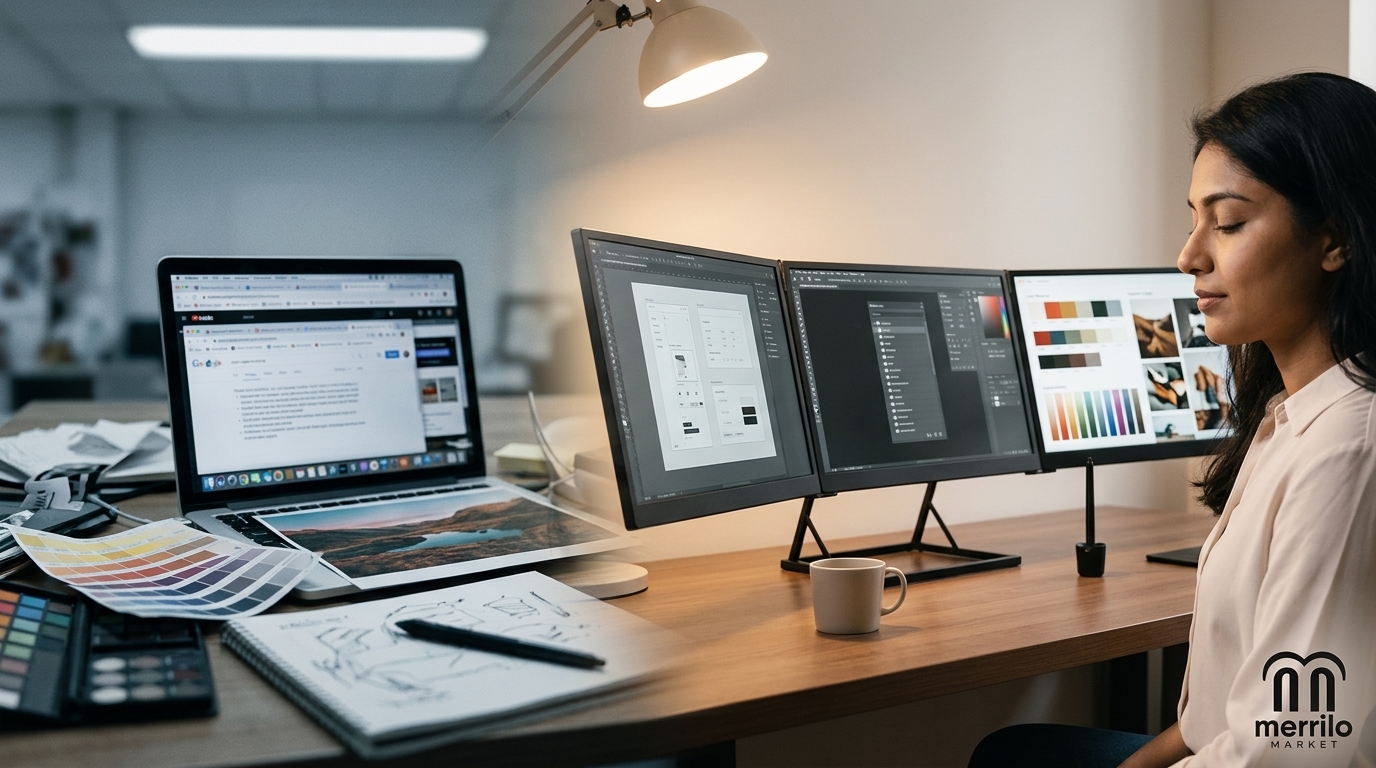
Ready to transform your design process? A triple screen setup is more than just an upgrade; it's a game-changer. Here's how making the switch can enhance your workflow.
From Single to Triple Screen
Moving from a single to a triple screen setup opens a world of possibilities. No more cramped tabs or cluttered workspaces. Your tools, references, and canvas coexist harmoniously, streamlining your workflow. This upgrade isn't just about more screens; it's about more creativity, more efficiency, and more freedom to design without limits.
Holiday Offer: Grab Your Deskwing™ T14
There’s no better time to make this transformation than now. The Deskwing™ T14 is not just an investment in a product, but in your creative potential. Imagine ending the year with a workspace that truly supports your vision. Don't miss out on this opportunity to enhance your productivity and creativity.
Why Designers Need This Now
Why wait? The longer you work in a cramped space, the more creativity you lose. Embrace the freedom of a spacious, organized workspace. The Deskwing™ T14 is more than a monitor; it's a vital tool for unlocking your full creative potential. Take action today and see the difference for yourself.
Frequently Asked Questions
What makes the Deskwing™ T14 suitable for designers?
The Deskwing™ T14 offers a 2560x1600 resolution and 100% sRGB color accuracy, ensuring vivid, true-to-life visuals. With three screens, it allows designers to keep their canvas, tools, and references visible simultaneously, minimizing the need for frequent tab switching and enhancing workflow efficiency.
How easy is it to set up the Deskwing™ T14?
Setting up the Deskwing™ T14 is straightforward. It features a plug-and-play design with a single cable connection, eliminating the need for complex installations or additional drivers. You can have your triple monitor setup ready in seconds, maximizing your creative time.
What are the benefits of using a triple monitor setup?
A triple monitor setup expands your workspace, allowing you to view multiple applications at once without constantly switching tabs. This configuration enhances focus, reduces errors, and improves productivity, making it ideal for designers who need to manage multiple tools and references efficiently.